Webhook events
Create webhooks, the events kanman sends for stories, runs, gates, decisions and teams, how to verify signatures, and the delivery and retry rules.
Webhooks send a signed HTTP request to your server when something happens in kanman: a story becomes ready, a run finishes or fails, a gate fails, a decision waits for an answer, a team report is published. Use them to post into your own chat tools, update a dashboard or start your own automation.
Webhooks belong to the workspace. Owners and admins create and manage them; members do not see them.
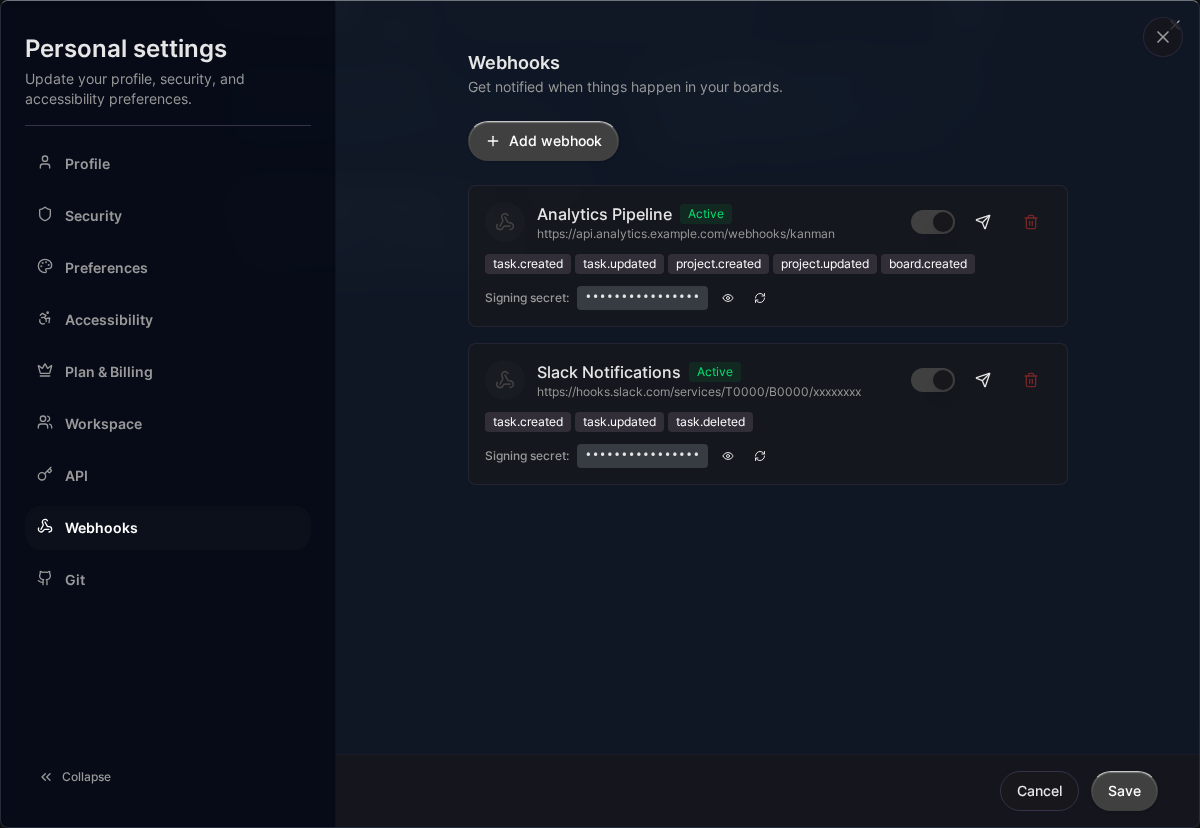
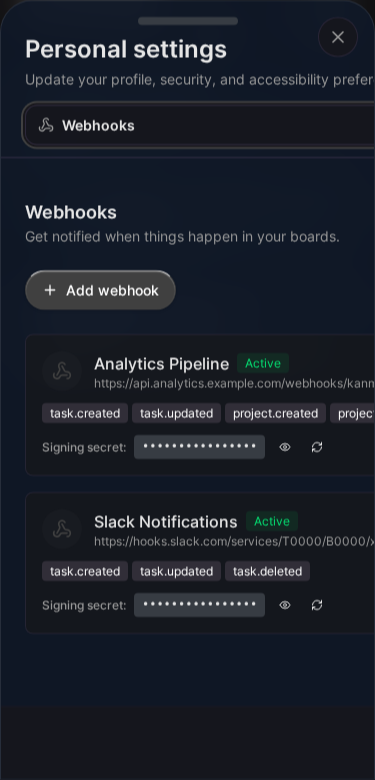
Create a webhook
- Open Settings, Webhooks (
/<workspace>/settings/webhooks). - Click Add webhook.
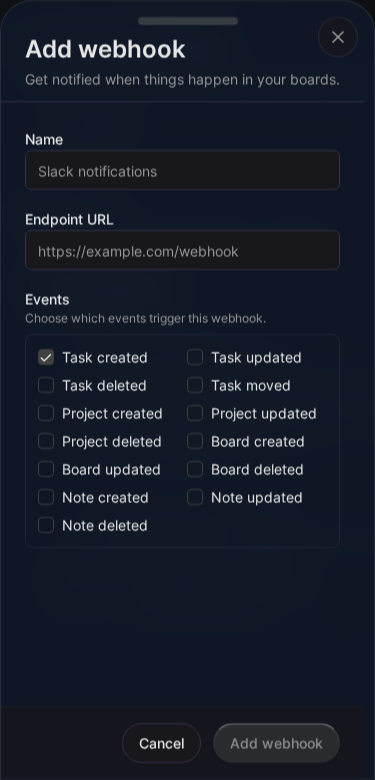
- Enter a Name and the Endpoint URL of your server.
- Under Events, select the events the webhook should receive. They are grouped into stories, runs and pull requests, outcome gate, decisions, and teams and reports. A new webhook starts with Run completed, Run failed or stopped and Decision waiting selected.
- Click Add webhook.
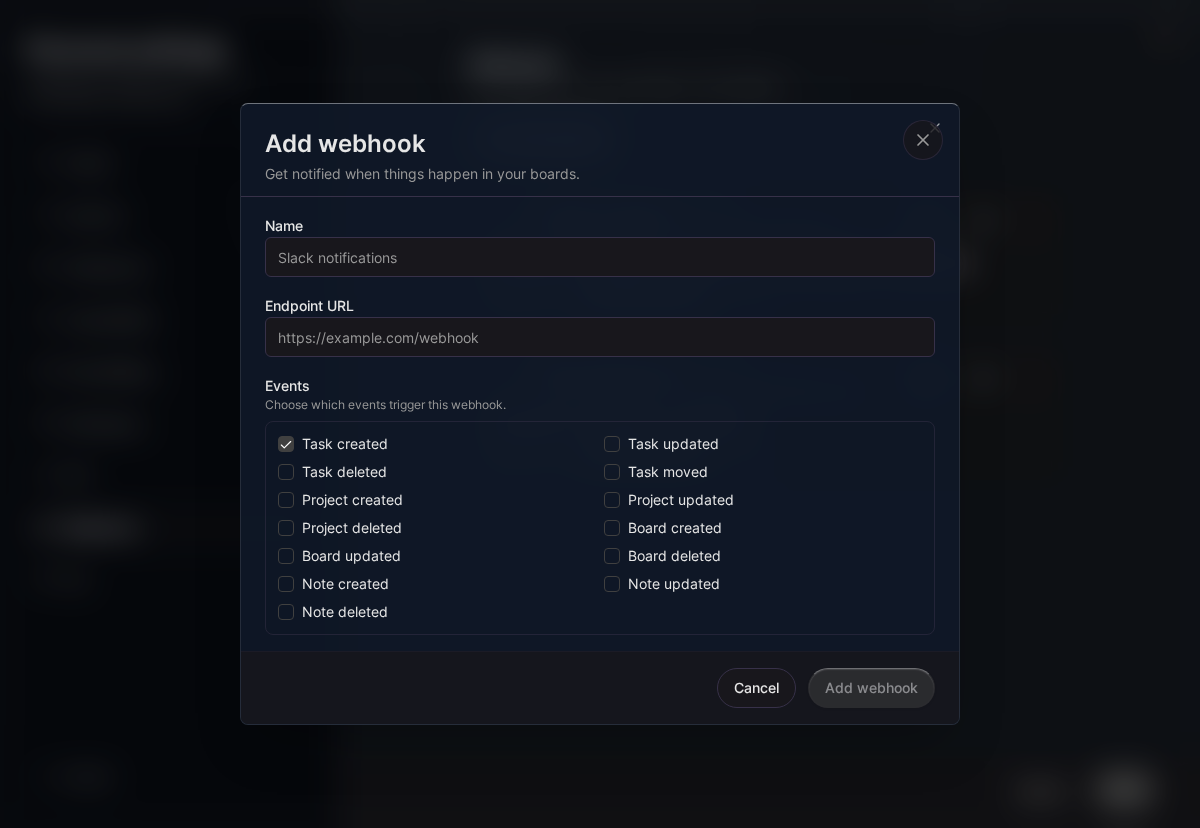
kanman generates a Signing secret for every webhook (it starts with whsec_). Click Show to see it and Regenerate to replace it; your receiver needs it to verify signatures. The switch on each webhook turns delivery on or off. Click a webhook’s name to change its name, endpoint or events.
Events
| Event | Sent when |
|---|---|
story.created |
A story appears in a team: an issue was picked up from your tracker, or an approved draft story was written to it. |
story.ready |
A story enters the team’s Ready column. |
run.started |
kanman starts working on a story (also for every new attempt). |
run.stage_changed |
A run moves to another stage: planning, implementing, verifying, review, done. |
run.completed |
An attempt of a run finishes its work. |
run.failed |
An attempt fails, times out or is stopped. |
pr.opened |
kanman opens the pull request of a run. |
gate.passed |
A gate of the outcome gate passes, for example the clean-room check or the reviewer. |
gate.failed |
A gate fails or cannot run. |
decision.created |
kanman needs a decision from a person. |
decision.resolved |
Someone answered a decision, in the app, in Slack, through the MCP server or the REST API. |
report.published |
A team’s weekly report is ready. |
team.paused |
A team is paused. |
team.resumed |
A paused team is resumed. |
test |
You click Send test. Cannot be subscribed to. |
Request format
Every delivery is an HTTP POST with a JSON body:
{
  "id": "6f1d2c80-4c1e-4f3a-9b7e-2a1d8c5e9f10",
  "event": "run.failed",
  "timestamp": "2026-10-01T09:16:56.512Z",
  "workspaceId": "a1b2c3d4-0000-4000-8000-000000000001",
  "attempt": 1,
  "data": {
    "team": { "id": "...", "slug": "sandbox-team", "name": "Sandbox Team", "keyPrefix": "SBX" },
    "story": {
      "id": "...", "key": "SBX-12", "title": "Export invoices as CSV", "readinessScore": 100,
      "tracker": { "platform": "github", "key": "#12", "url": "https://github.com/acme/app/issues/12" }
    },
    "run": {
      "key": "run-7f3k", "attempt": 2, "status": "failed", "stage": "verifying", "executor": "claude-code",
      "costCents": 140, "budgetCents": 400, "failureClass": "gate", "prUrl": null, "prNumber": null,
      "startedAt": "2026-10-01T09:02:10.000Z", "completedAt": "2026-10-01T09:16:56.000Z"
    },
    "error": "Verification failed"
  }
}
id is the delivery id; it stays the same when a delivery is retried, and attempt counts the tries. timestamp is when the event happened, not when it was sent.
What data contains depends on the event:
| Events | data fields |
|---|---|
story.* |
team, story |
run.* |
team, story, run; run.stage_changed adds previousStage, run.failed adds error |
pr.opened |
team, story, run, pullRequest (url, number) |
gate.* |
team, story, gate (name, verdict, reason, attempt, runKey, finishedAt) |
decision.* |
team, story, decision (key, kind, authority, title, status, recommendation, options, runKey, resolution, resolvedVia, resolvedBy, resolvedAt, expiresAt); decision.resolved adds result |
report.published |
team, report (periodKey, periodStart, periodEnd, summary, metrics) |
team.* |
team, pausedAt, by |
story is null for events without a story, for example a decision about the whole team. Treat unknown fields as optional: kanman may add fields, but does not remove or rename them.
| Header | Description |
|---|---|
Content-Type |
application/json |
User-Agent |
kanman-webhooks/1 |
X-Kanman-Event |
Event type, for example run.failed. |
X-Kanman-Delivery |
Delivery id (UUID), the same as id in the body. Use it to ignore duplicates. |
X-Kanman-Timestamp |
Unix time in seconds when this attempt was signed. |
X-Kanman-Signature |
sha256= followed by the hex HMAC-SHA256 signature. |
Verify the signature
The signature is HMAC-SHA256 with your webhook secret over the string <X-Kanman-Timestamp>.<raw request body>. Compute it over the raw bytes you received, before any JSON parsing. Parsing and serializing the body again changes whitespace and key order and breaks the signature. Also reject deliveries whose timestamp is more than five minutes old, so a captured request cannot be replayed.
Node.js with Express:
const crypto = require('crypto')
const express = require('express')

const app = express()
const SECRET = process.env.KANMAN_WEBHOOK_SECRET

// Keep the raw body: the signature covers the exact bytes kanman sent
app.post('/kanman', express.raw({ type: 'application/json' }), (req, res) => {
  const timestamp = req.get('X-Kanman-Timestamp')
  const signature = req.get('X-Kanman-Signature') || ''
  const expected = 'sha256=' + crypto
    .createHmac('sha256', SECRET)
    .update(`${timestamp}.${req.body.toString('utf8')}`)
    .digest('hex')

  const fresh = Math.abs(Date.now() / 1000 - Number(timestamp)) < 300
  const valid = signature.length === expected.length &&
    crypto.timingSafeEqual(Buffer.from(signature), Buffer.from(expected))
  if (!fresh || !valid) return res.status(401).send('invalid signature')

  const { event, data } = JSON.parse(req.body)
  res.status(200).send('ok')
  handle(event, data) // do the real work after answering
})
Python with Flask:
import hashlib
import hmac
import json
import os
import time

from flask import Flask, request

app = Flask(__name__)
SECRET = os.environ["KANMAN_WEBHOOK_SECRET"].encode()

@app.post("/kanman")
def kanman_webhook():
    timestamp = request.headers.get("X-Kanman-Timestamp", "0")
    signature = request.headers.get("X-Kanman-Signature", "")
    raw = request.get_data()  # raw bytes, not request.json
    expected = "sha256=" + hmac.new(SECRET, timestamp.encode() + b"." + raw, hashlib.sha256).hexdigest()
    if abs(time.time() - int(timestamp)) > 300 or not hmac.compare_digest(expected, signature):
        return "invalid signature", 401
    payload = json.loads(raw)
    print(payload["event"], payload["data"])
    return "ok", 200
Delivery rules
- kanman sends an event within seconds after it happens.
- Answer with a
2xxstatus within 10 seconds. Do slow work after you answered. Redirects are not followed. - A failed delivery is retried up to four times: after 1 minute, 5 minutes, 30 minutes and 2 hours. Network errors, timeouts,
408,429and5xxanswers are retried; other4xxanswers count as a final failure right away. - After 5 deliveries in a row failed for good, the webhook is paused and shows Paused with a short explanation; deliveries still waiting for it are dropped. Fix the endpoint, then turn the webhook on again with its switch under Settings, Webhooks. Turning it on resets the failure count.
- Each event is delivered at least once. Use
X-Kanman-Delivery(orid) to ignore a delivery you already handled. - Deliveries of different events can arrive out of order. Use
timestampto order them.
Testing
Click Send test on a webhook to send a test event to your endpoint. The app tells you whether it was delivered. The test body looks like this:
{
  "id": "0b9d4a6e-8c2f-4d1a-9e3b-7f6a5c4d3e2b",
  "event": "test",
  "timestamp": "2026-10-01T09:00:00.000Z",
  "workspaceId": "a1b2c3d4-0000-4000-8000-000000000001",
  "attempt": 1,
  "data": {
    "message": "This is a test delivery from kanman",
    "webhookId": "3f0c2b9e-6a51-4c1e-9f0a-2d7b8e41c5aa",
    "webhookName": "Ops alerts"
  }
}
A test is sent once and not retried. To test locally, expose your machine with a tunnel and use the public HTTPS URL as the endpoint.
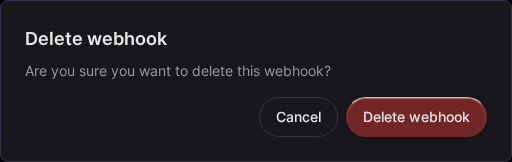
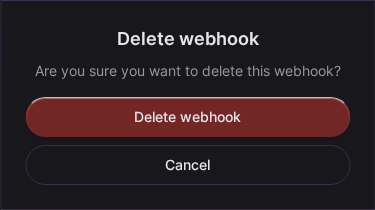
To delete a webhook, click its delete button and confirm with Delete webhook.
Related
Last updated: January 1, 0001
Open kanman